
_EU_1.0_overview_01_3-pack_normal_20251120011602c.jpg)
_EU_1.0_overview_02_normal_20251120011639b.jpg)
_EU_1.0_overview_03_normal_20250915030902z.jpg)
_EU_1.0_overview_04_normal_20251120011732c.jpg)
_EU_1.0_overview_05_normal_20250903015301h.jpg)
_EU_1.0_overview_06_normal_20250903015301w.jpg)
_EU_1.0_overview_07_normal_20250903015301z.jpg)
_EU_1.0_overview_08_normal_20250903015302k.jpg)
_EU_1.0_overview_09_normal_20250903015302k.jpg)
(EU)_1.0-339.5x240x116mm-7000001699_normal_20250903015859e.png)
_EU_1.0_overview_01_3-pack_large_20251120011602e.jpg)
_EU_1.0_overview_02_large_20251120011639t.jpg)
_EU_1.0_overview_03_large_20250915030902m.jpg)
_EU_1.0_overview_04_large_20251120011732w.jpg)
_EU_1.0_overview_05_large_20250903015301a.jpg)
_EU_1.0_overview_06_large_20250903015301a.jpg)
_EU_1.0_overview_07_large_20250903015302p.jpg)
_EU_1.0_overview_08_large_20250903015302x.jpg)
_EU_1.0_overview_09_large_20250903015302t.jpg)
(EU)_1.0-339.5x240x116mm-7000001699_large_20250903015859q.png)
Deco PX10
NovoAX1500 + AV1000 Whole Home Powerline Mesh WiFi 6 System
- AX1500 Dual Band WiFi – 1201 Mbps (5 GHz) + 300 Mbps (2.4 GHz).†
- HomePlug AV2 1000 Mbps – 1 Gbps Powerline Network speeds ***
- Network Passes Through Walls and Floors – Reduce the impact of walls and other obstacles on signal.
- AI-Driven Mesh – Intelligently learns your network environment to provide ideal WiFi unique to your home.*
- Gigabit Wired Speed – 3× Gigabit ports provide sufficient connectivity.§
- HomeShield – Provides comprehensive network protection, robust parental controls, and real-time IoT security.**
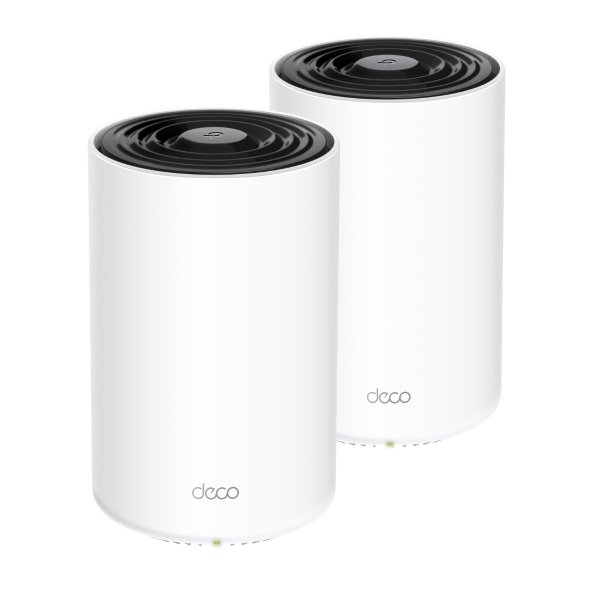
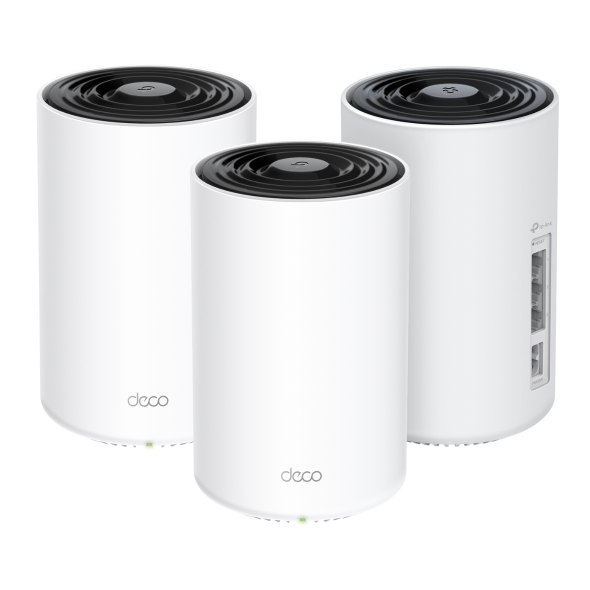
Superior Mesh WiFi. Everywhere.
Whole Home Powerline Mesh Wi-Fi 6 System AX1500 + AV1000
Deco PX10




Dual-Band WiFi 6 AX1500
HomeShield
Security
AI-Driven
Mesh
Cover up to
2 Pack
4,100 ft² / 380 m²
3 Pack
6,100 ft² / 530 m²
Connect up to
120 Devices
HomePlug AV2
1000 Mbps
Mesh WiFi 6 + Powerline: Signal Through Walls
Deco PX10 combines dual-band WiFi and Powerline to transmit data between Deco units. Powerline technology uses your home's electrical wiring to create a stronger connection between Deco units, reducing the impact of walls, floors, and other obstacles on signals. ***
Internet
AV1000 Gigabit Powerline
ThickWall
Dual-Band WiFi 6 Mesh
Armed with WiFi 6 technology, Deco whole home mesh WiFi is designed to deliver a huge boost in coverage, speed, and total capacity. Enjoy faster loading and more connections.
-
4× Larger Capacity
-
3× Faster Speed
-
Boosted Coverage
Superfast. No Lag.
WiFi + Powerline Hybrid Bandwidth
Powerline and wireless connections work together to transmit data between Deco units. PX10 delivers phenomenal speeds compared with traditional mesh WiFi.
-
Deco PX10 (WiFi + Powerline)
1201 Mbps
300 Mbps
1000 Mbps
-
Traditional Mesh WiFi
Far-Reaching WiFi Coverage
To blanket your entire home with WiFi, Deco PX10 units work together as a powerful mesh network to boost broader coverage for connections in every corner.Want more coverage? Simply add another Deco. All TP-Link Deco can work together.†
-
 1-Pack
 -
 2-Pack
 up to 4,100 ft² or 380 m²
 -
3-Pack up to 6,100 ft² or 530 m²


More Capacity for More
Devices
Enhanced by WiFi 6, featuring with OFDMA and MU-MIMO technology, Deco PX10 allows you to connect up to 120 devices. Enjoy a more efficient network that loads faster without dragging down performance.
Gaming
8K Streaming
Phones and
Tablets
1080P Streamings
Smart Home
Devices
High-Speed
Downloading
4K Streaming
IP Camera
Streaming
Web Browsing
connections for up to
120
devices
Intelligent Networking for a Smarter Home
Deco uses its custom algorithms to automate the connections on your network, ensuring the strongest possible signals at all times.△
Learn more about AI-Driven Mesh >>
-
Sophisticated Algorithms
-
Self-Learning Capability
-
Customized Wi-Fi
Self-Learning
Advanced Algorithms
Seamless Roaming with One WiFi Name
TP-Link Mesh means Deco units work together to form one unified network. Your phone or tablet automatically connects to the fastest Deco as you move through your home, creating a truly seamless WiFi experience.‡
-
Whole Home Coverage
Eliminate weak signal areas throughout your house
-
Seamless Roaming
Uninterrupted streaming when moving between rooms
-
One WiFi Name
No more switching WiFi network names
-
Unified Management
Control your home WiFi by managing the central node via the Deco App
-
Deco PX10
Mesh Wi-Fi System Wi-Fi Home-Deco Wi-Fi
-
Traditional Router
with Extender Wi-Fi

Smart Security for Smart Living
HomeShield provides a series of built-in services that protect all your devices comprehensively with various features for when you’re at home or on the go. With HomeShield, safer internet experiences bring more happiness to your smart living.
-
Network Protection
Simply configure your gateway and achieve whole home network security. HomeShield examines your network by scanning and identifying potential risks, stopping them in their tracks before they harm your network.*
-
Parental Controls
Parental Controls protect your kids, while helping them maintain healthy digital habits. Parents can set app blocking, web filtering, YouTube restrictions, SafeSearch, and online time limits to keep kids safe while they’re having fun online.*
-
Maintain Protection Away from Home
KidShield App
Devices Security App
Devices remain secure everywhere with devices security app. And through KidShield, parents can monitor their kids’ locations. This way, kids stay digitally protected even on the go.*
Simply Plug and Play with Deco App
Setup and manage your network anytime and anywhere on the friendly TP-Link Deco app. In just three easy steps your entire home can be blanketed in strong and reliable WiFi. Set up one Deco, and the other Deco in the same set can automatically join the mesh network after powered on.
-
1 Connect
to a modem and power on both. -
2 Download
and launch the Deco app. -
3 Configure
by following the in-app instructions. -
4 Power
on the Deco in the same set.
Control Anyway You Want
-

Easy Management
Manage your WiFi at home or away on the Deco app. See every connected device, prioritize your own, and set up a guest network.
-

Voice Control
Use an Amazon Alexa or Google Assistant-enabled device to control
Deco PX10 with just your voice.
-

All Decos Work Together
Deco PX10 is compatible with every other Deco model to form a Mesh network. Expand Mesh WiFi coverage anytime by adding more Decos.***
Note: Compatible with all Deco models via wireless hut only supports powerline connections via the HomePlug Standard.
-
Cave

-
Quintal

-
Garagem

O verdadeiro Roaming sem falhas
As unidades Deco trabalham em conjunto para formar uma rede unificada, com um único nome de rede. O seu telefone ou tablet liga-se automaticamente ao Deco mais rápido, à medida que se desloca pela sua casa. A transição demora menos de 0,3 segundos e é suave e impercetível, criando uma verdadeiramente experiência online sem falhas.
-
Seleção de Percurso Adaptável
A Tecnologia Mesh TP-Link escolhe de forma dinâmica a melhor rota e banda para as suas ligações e aplicações, garantindo um Wi-Fi rápido, independentemente do local onde se encontra em casa.
-
Self-Healing
Se um Deco tiver um problema, o sistema reencaminhará automaticamente os dados através dos outros Decos para se certificar de que permanece online.
Wi-Fi + Powerline
A técnologia PowerLine utilizam o circuito elétrico da sua casa para ligar a Decos, contornando até mesmo as paredes e tetos mais espessos.
A banda dupla Wi-Fi e a Powerline trabalham em conjunto para transmitir dados entre as unidades Deco. A velocidade total da rede é consideravelmente melhorada quando comparada com a utilização exclusiva de Wi-Fi.
- Wi-Fi + Powerline:
- Hybrid Wi-Fi System Boosted Speeds
- Wi-Fi Mesh Convencional:
- Sistema Wi-Fi Padrão
- Powerline
- Nota:Wi-Fi + Powerline é só para o Deco P9
Mesh IoT
Ao contrário dos hubs inteligentes tradicionais, a Tecnologia TP-Link Mesh fornece cobertura completa de IoT doméstica com Wi-Fi, Bluetooth e Zigbee integrados num único sistema. Desfrute da magia da sua casa inteligente em todas as divisões com a Tecnologia Mesh TP-Link. Diga adeus a inúmeros hubs.
- - - - Wi-Fi
- - - - Zigbee
- - - - Bluetooth
Wi-Fi 6 Mesh
Com tecnologia Wi-Fi 6,
O sistema Wi-Fi mesh casa inteira foi concebido para proporcionar um enorme impulso na cobertura, velocidade, e capacidade total. Entre no mais recente Wi-Fi mesh para desfrutar da futura rede que carrega mais depressa e que se liga mais.
-
Cobertura mais ampla
-
Mais ligações
-
Velocidade Wi-Fi 6 mais rápida
Mesh Orientado por IA
Equipado com tecnologia Mesh AI, o Deco aprende automaticamente e melhora-se a si próprio através da experiência.
Isto proporciona o Wi-Fi mesh ideal exclusivo para a sua casa e ambiente de rede.
Ande pela sua casa e desfrute de uma transmissão sem falhas à velocidade mais rápida possível.
Porquê a tecnologia mesh TP-Link
uma solução líder do sector?
| Comparativo | |||
| Modelo | TP-Link Deco | Netgear Orbi | Google WiFi |
| Wireless Backhaul | Tri-Band(2.4G+5G_1+5G_2)¹ | Single-Band(5G_1 Only) | Dual-Band(2.4G+5G) |
| Protocolo Mesh Suportado | IEEE 802.11k/v/r | IEEE 802.11k/v | IEEE 802.11s |
| Verdadeiro Roaming sem Falhas | ✔ | × | × |
| APS (Seleção de Caminho adaptável) | ✔ | × | ✔ |
| IoT Mesh | ✔² | × | × |
| Mesh Wi-Fi 6 | ✔5 | ✔ | × |
| Mesh movido por IA | ✔6 | × | × |
| Powerline Backhaul | ✔³ | × | × |
| Wireless + Largura de banda Powerline | ✔⁴ | × | × |
| Band Steering | ✔ | ✔ | ✔ |
| AP Steering | ✔ | ✔ | ✔ |
| Auto-Regeneração | ✔ | ✔ | ✔ |
| Notas: 1&2 Apenas para Deco M9 Plus;5 para Deco X20;Deco X90;6 apenas para Deco X90. | |||
Modelos Deco
Deco
-
 Brevemente
Deco X50-PoE
AX3000 Whole Home Mesh WiFi 6 System com PoE
-
 Novo
NovoDeco BE65
BE9300 Sistema Mesh Wi-Fi 7 para Toda a Casa
-
 Novo
NovoDeco X50-5G
DECO AX3000 Sistema Mesh WiFi 6 Gateway 5G
-

Deco S7
Sistema Wi-Fi Mesh AC1900
-
_Overview_normal_20211225093625r.png)
Deco X50
Sistema Mesh AX3000 WiFi 6 para a Casa Completa
-
 Brevemente
Deco XE200
AXE11000 Whole Home Mesh Wi-Fi 6E System
-
 Novo
NovoDeco XE75
Sistema Wi-Fi 6E AXE5400 Tri-Band Mesh
-
_normal_20230201014412u.png) Hot Buys
Hot BuysDeco M4
AC1200 Whole Home Mesh Wi-Fi System
Gestão da Rede Deco na Ponta dos Seus Dedos!
A aplicação Deco é a forma mais fácil de configurar, gerir e monitorizar o seu Sistema Wi-Fi Mesh para Toda a Casa através dos seus equipamentos iOS ou Android.
A Configuração Ficou Muito Mais Fácil
Retire o Deco da caixa, instale a aplicação e depois basta seguir as indicações no ecrã. A aplicação Deco encarregar-se-á do resto e colocará a sua rede a funcionar em minutos.
-
Ligue o Deco ao seu Router/Modom por cabo e ligue os dois equipamentos
-
Faça o download e inicie a aplicação Deco
-
Siga as instruções para configurar o seu sistema Deco.
Gestão Simples
Deco torna mais fácil gerir o seu Wi-Fi a partir de qualquer lugar, quer esteja no sofá, no trabalho, ou em qualquer outro lucal.
-
Painel de Gestão Simples
Veja o funcionamento da sua rede, verifique os equipamentos ligados e obtenha todas as características que o seu router oferece.
-
Múltiplos Decos, Uma Aplicação
A aplicação Deco gere todas as suas redes Deco, e todos os equipamentos ligados ao seu Wi-Fi Deco.
-
Verifique os Equipamentos Ligados
Veja uma lista dos equipamentos ligados, com a capacidade de fazer uma pausa e retomar o acesso à Internet, testar a velocidade da Internet e estabelecer prioridades ou bloquear equipamentos.
-
Gestão Remota
Controle remotamente a sua rede com um toque no seu telefone - onde quer que esteja.
Robustos Controlos Parentais
Controlos parentais simples e intuitivos, fazem com que seja fácil manter os seus filhos seguros enquanto estão online.
-
Crie facilmente um perfil para cada membro da família e defina limites de tempo personalizados e permissões de tempo online. Atribua equipamentos a perfis de modo a que as regras se extendam aos equipamentos individuais, bem como aos membros da família.
-
Mantenha a sua família segura online através de definições de segurança com um só toque, que bloqueiam conteúdos com base na sua faixa etária.
-
Estabeleça limites para o tempo que cada pessoa da sua família pode passar na internet.
-
Com os relatórios, pode verificar que sites os seus filhos visitam e quanto tempo passam em cada um deles. É uma excelente maneira de saber que os seus filhos estão seguros enquanto se estão a divertir online.
-
Faça uma pausa do Wi-Fi para jantar e noites de jogos em família. Basta tocar num botão para suspender o acesso à Internet para todos na sua casa.
Uma Aplicação Intuitiva Cheia de Funcionalidades
Resumo da Utilização Mensal
Veja todos os meses uma lista completa dos detalhes da sua rede, incluindo utilização, conteúdos bloqueados, ameaças à segurança e muito mais.
Domótica
Facilite a sua vida com poderosas ferramentas de automação e controlo de voz.
*Atualmente apenas para Deco M9 Plus
Atalhos Flexíveis
Controlo abrangente todos os equipamentos IoT no Smartphone ou Tablet com apenas um clique.
*Atualmente apenas para Deco M9 Plus
Proteja a Sua Rede
O Antivírus incorporado ajuda-o a defender-se contra websites maliciosos e acesso à internet mais seguro.
*Atualmente apenas para Deco M9 Plus, Deco P7 e Deco M5
Priorize os Seus Equipamentos
Com a app terá poder para prioritizar equipamentos para obterem maiores velocidades e maior largura de banda ou definir essa mesma prioridade para uma duração de tempo específica.
Definir Prioridades para Aplicações
Defina maior largura de banda para as atividades mais importantes para si com controlos simples.
*Atualmente apenas para Deco M9 Plus, Deco P7 e Deco M5
Partilhar Wi-Fi com Amigos
Partilhe com os seus convidados a informação da rede Wi-Fi Guest de forma simplificada
Verifique a Velocidade
Faça um teste de velocidade para garantir que está a receber as velocidades de internet que está a pagar.
Veja todos os equipamentos na sua rede e a largura de banda que estão a usar.
O Nosso Suporte Apoia-o Sempre
Tem questões sobre Deco? A ajuda está a apenas um clique de distância. Encontre as respostas na aplicação Deco e não hesite em contactar-nos apenas com um simples clique.
Suporte Técnico| Standards and Protocols | Wi-Fi 6IEEE 802.11ax/ac/n/a 5 GHzIEEE 802.11ax/n/b/g 2.4 GHz |
|---|---|
| WiFi Speeds | AX15005 GHz: 1201 Mbps (802.11ax)2.4 GHz: 300 Mbps (802.11ax) |
| Powerline Speeds | HomePlug AV21000 Mbps Powerline |
| WiFi Range | 4-6+ Bedroom Houses (3-pack) TP-Link Mesh TechnologyOptional Ethernet backhaul work together to link Deco units to provide seamless coveragePowerline TechnologyUses your home's electrical wiring to create stronger connections between Deco units, reducing the impact of walls or other obstacles on signal2 × dual-band antennasMultiple antennas form a signal-boosting array to cover more directions and large areas |
| WiFi Capacity | Medium Dual-BandDistribute devices to different bands for optimal performanceMU-MIMOSimultaneously communicates with multiple MU-MIMO clientsOFDMASimultaneously communicates with multiple WiFi 6 clients |
| Working Modes | Router ModeAccess Point Mode |
| Network Security | SPI FirewallAccess ControlHomeShield Security Real-Time IoT ProtectionMalicious Site BlockerIntrusion Prevention SystemDDoS Attack PreventionHome Network Scanner |
|---|---|
| Guest Network | 1× 5 GHz Guest Network1× 2.4 GHz Guest Network |
| WiFi Encryption | WPA/WPA2/WPA3 |
| Ethernet Ports | 3 × Gigabit ports*Per Deco Unit Supports WAN/LAN auto-sensing |
|---|---|
| Buttons | Reset Button |
| Protocols | IPv4IPv6 |
|---|---|
| Service Kit | HomeShieldLearn More> |
| Parental Controls | HomeShield Parental Controls Youtube RestrictionSafeSearchCustom ProfilesProfessional Content Filter LibraryFamily TimeBedtimeOff TimeTime RewardsFamily Online Time RankingPause the InternetWeekly and Monthly Reports |
| WAN Types | Dynamic IPStatic IPPPPoEL2TPPPTP |
| Quality of Service | HomeShield QoS QoS by Device |
| Cloud Service | OTA Firmware UpgradeTP-Link IDDDNS |
| NAT Forwarding | Port Forwarding UPnP |
| IPTV | IGMP ProxyIGMP SnoopingBridgeTag VLAN |
| DHCP | Address ReservationDHCP Client ListServer |
| DDNS | TP-Link |
| Management Features | Deco App |
| Network Services Enabled by Default | Web Server Manage and configure device through web (HTTP/HTTPS)• Port: 80/443 Protocol: TCP DNS DNS• Port: 53 Protocol: TCP & UDP DHCP Server IP address assignment (DHCP)• Port: 67 Protocol: UDP App management Manage and configure device through app• Port: 22 Protocol: TCP• Port: 20001 Protocol: TCP• Port: 30001 Protocol: TCP• Port: 20002 Protocol: UDP |
|---|---|
| WiFi Transmission Power | CE:<20 dBm (2.4 GHz)<23 dBm (5 GHz)FCC:<30 dBm |
|---|---|
| Dimensões (L x P x A) | 4.1 × 4.1 × 6.7 in (105 × 105 × 169 mm) |
|---|---|
| Package Content | Deco PX10 (3-pack)3× Deco PX10 Units(routers with powerline)1× RJ45 Ethernet Cable3× Power CordsQuick Installation GuideDeco PX10 (2-pack)2× Deco PX10 Units(routers with powerline)1× RJ45 Ethernet Cable2× Power CordsQuick Installation Guide |
| Certificações | CE, FCC |
|---|---|
| Temperatura e Humidade | Operating Temperature: 0°C~40°C (32 °F~104 °F)Storage Temperature: -40°C~60°C (-40 °F~140 °F)Operating Humidity: 10%~90% RHStorage Humidity: 5%~90% RH |
†Maximum wireless signal rates are the physical rates derived from IEEE Standard 802.11 specifications. Actual wireless data throughput and wireless coverage, and quantity of connected devices are not guaranteed and will vary as a result of network conditions, client limitations, and environmental factors, including building materials, obstacles, volume and density of traffic, and client location.
‡Clients need to support 802.11k/v/r and may require additional set up. Performance may vary depending on the client device.
△Use of Wi-Fi 6 and other features including OFDMA, MU-MIMO, 1024-QAM, BSS Color and WPA3 require clients to also support the corresponding features.
§Compatible with all Deco models via wireless but only supports powerline connections via the HomePlug Standard. Maximum Powerline signal rates are the physical rates derived from HomePlug AV/AV2 specifications. Actual Powerline data throughput and Powerline range are not guaranteed and will vary as a result of network conditions and environmental factors, including electrical interference, volume of traffic and network overhead, AFCI circuit breaker, and Powerline being located in a separate circuit.
*HomeShield includes both basic and advanced features. Advanced features require a paid subscription. For details, visit tp-link.com/homeshield.
**Wi-Fi generations represent the wireless standard IEEE 802.11 a/b/g/n/ac/ax.
Actual network speed may be limited by the rate of the product's Ethernet WAN or LAN port, the rate supported by the network cable, Internet service provider factors and other environmental conditions.
This Deco may not support all the mandatory features as ratified in the IEEE 802.11ax specification. Further software upgrades for feature availability may be required.